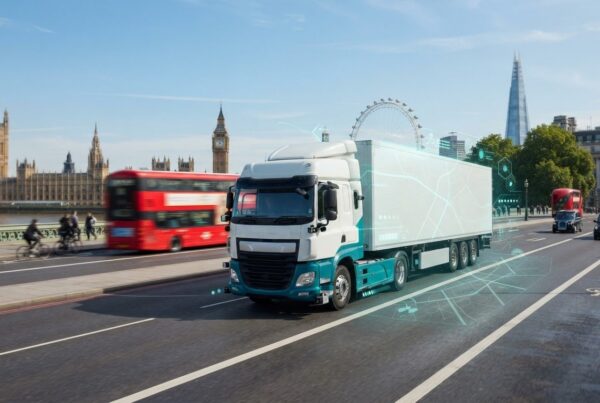
More cameras do not automatically mean better coverage. The setup needs to suit the vehicle and its operating risks. Multi camera systems for commercial vehicles can combine front, rear and side views with an in-cab monitor and recorder, helping drivers see around the vehicle and retaining footage for review. There is no single layout that suits every fleet.
A camera system can help address blind spots, but useful coverage depends on camera position and how images appear on the display. A delivery van making frequent urban stops has different visibility needs from a long-distance lorry or a vehicle working on a construction site.
This guide explains how camera layouts can suit different commercial vehicles, support live driver visibility and provide recorded evidence after an incident. It covers practical choices, including camera positions, monitor behaviour and recording needs, to help you identify a configuration that fits your operation.
Key Takeaways
- Match camera coverage to each vehicle’s risks and working environment, rather than choosing a system by camera count alone.
- Assess mounting positions, transmission reliability, image quality and installation needs together to plan useful coverage.
- Configure live views to support manoeuvres without distracting drivers or obstructing their sightlines.
- Plan recording settings and footage retrieval around how your team may need to review incidents and handle claims.
- Use different layouts for different vehicle roles, while keeping configurations consistent across similar vehicles where practical.
Fleet camera coverage for light commercial vehicles
For a light commercial vehicle, base camera coverage on its routes, manoeuvres and incident risks, not simply the number of cameras. A delivery van making frequent kerbside stops needs different views from a service vehicle working across varied sites.
Wired and wireless system choices
Wired systems connect cameras to monitors and recording hardware with cables, while wireless systems transmit images without a camera-to-monitor cable run. For a van fleet, this choice affects installation, vehicle downtime and how reliably images reach the cab.
Before selecting wireless hardware, compare the vehicle layout, mounting positions, power supply, transmission distance and expected image quality. The system should also suit the working environment: rough sites and exposed camera positions make durability important, while a straightforward van layout may allow simpler cable routing.
Camera features and system selection
Choose camera functions and recording methods to match the fleet’s risks and evidence needs. Start by identifying common incidents, operating conditions, footage requirements and acceptable downtime. Then assess night visibility, image quality, monitor size, recording options and expandability. Stable images in poor light or harsh weather may matter more than resolution alone.
Recording options include local storage for manual download, event-based recording, remote access or integration with telematics and fleet systems. Buyers may also assess AI detection, depending on the risks they want to address and how alerts fit operational processes. Position monitors to preserve the driver’s sightlines, and configure the display so multiple angles do not become distracting.
GPS and camera footage serve different purposes: GPS can show a vehicle’s location, while video records the road or vehicle view. Connecting cameras with telematics can bring these records into fleet workflows. Assess transmission reliability, image quality and footage retrieval alongside existing hardware. Camera systems can integrate with telematics, dashcams or fleet management software when connections and recording processes are compatible.
In the UK, the Direct Vision Standard requires vehicles rated below three stars or unrated to have a progressive safe system to receive a permit; the research states that trucks over 12 tonnes must have a camera-monitor system under the standard. For privacy, define why footage is collected, restrict access to people who need it, set retention periods and explain camera use to drivers and other affected people.
System costs and installation
System cost depends on the vehicle, camera count, monitor, recorder, connectivity and installation complexity, including cable routing and mounting positions. The price depends on the case and is given after a quote request; comparing the required coverage and recording setup helps identify which hardware and installation work drive the cost.
360-Degree vehicle coverage and blind-spot reduction
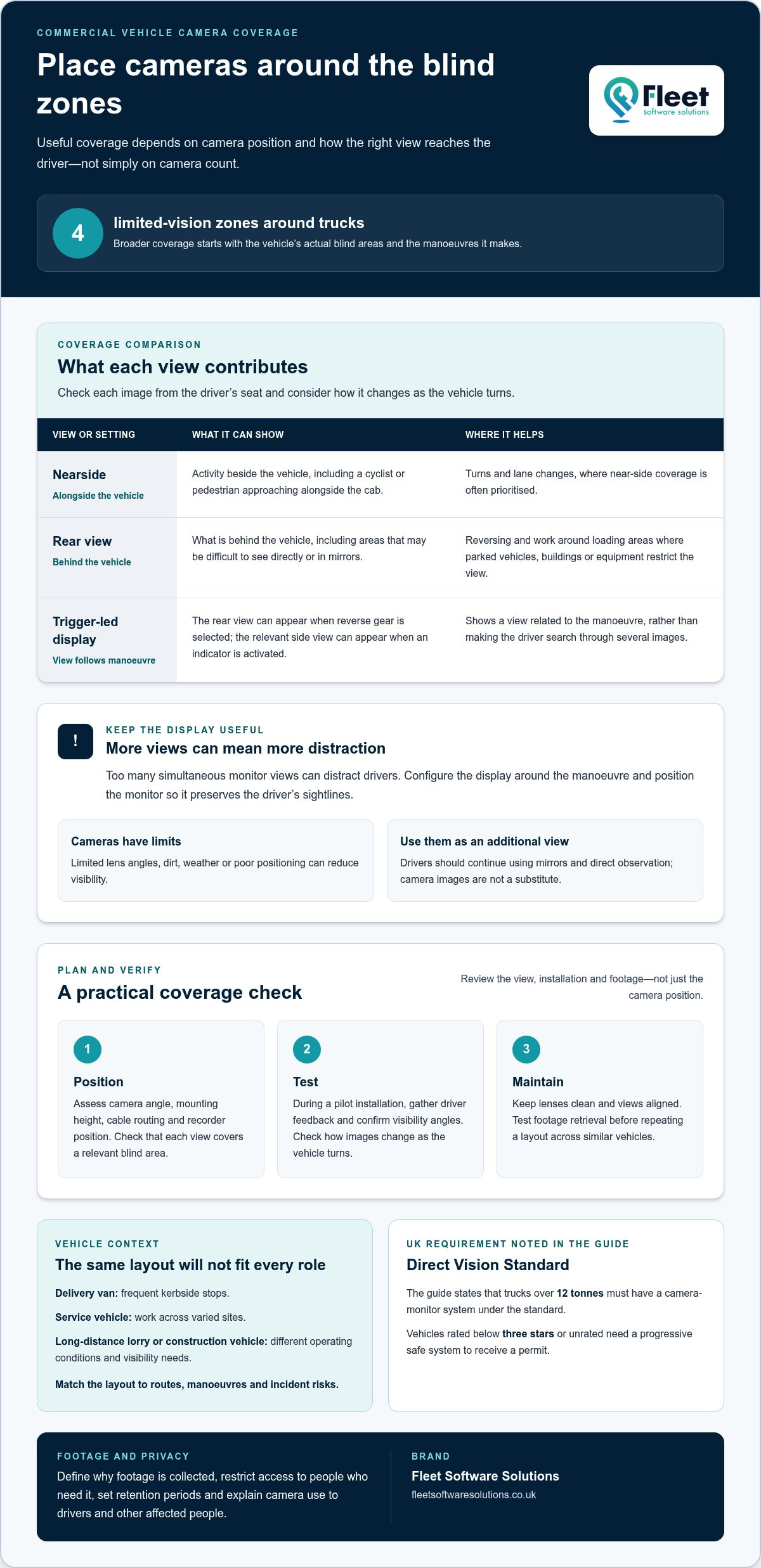
Trucks have four zones of limited vision, so broader coverage depends on placing cameras to address the vehicle’s actual blind areas. Installation should account for camera angle, mounting height, cable routing and recorder position. During maintenance, check that lenses are clean and views remain correctly aligned.
Camera placement and blind zones
Camera placement means positioning each lens to show an area that mirrors and direct vision cannot adequately cover. If a view misses a critical zone, the driver may lack useful information during a turn or reversing manoeuvre.
Nearside coverage is often prioritised because it helps drivers observe vulnerable road users during turns and lane changes. A camera showing the area alongside the vehicle can reveal a cyclist or pedestrian approaching beside the cab, while rear coverage shows what is behind. Check each view from the driver’s seat and consider how the image changes as the vehicle turns.
Blind spots and vehicle manoeuvrability
HGV blind spots are areas around a large vehicle that the driver cannot see directly or through mirrors. Their size and position affect manoeuvrability, particularly during tight turns, lane changes and reversing in busy transport environments.
Blind-spot cameras can show activity beside the vehicle, while a reversing camera gives the driver a view behind it. Camera trigger logic can display the rear view when reverse gear is selected and the relevant side view when an indicator is activated. The display then responds to the manoeuvre, rather than requiring the driver to search through several views.
Camera coverage should address the side and rear, not focus solely on the forward road view. Most collisions involve impacts from the side or rear rather than the front, making those views operationally relevant. A camera layout can also support visibility around loading areas, where parked vehicles, buildings or equipment restrict the driver’s view.
Cameras do not remove every blind zone: lenses have limited angles, and dirt, weather or poor positioning can reduce visibility. Too many simultaneous monitor views can distract drivers, so configure the display around the manoeuvre and position the monitor to preserve sightlines. Drivers should continue using mirrors and direct observation, treating camera images as an additional view, not a substitute.
During a pilot installation, gather driver feedback, confirm visibility angles and test footage retrieval before repeating the setup across similar vehicles. A repeatable camera layout helps transport operators maintain consistent coverage, while checks after installation can identify a shifted camera or obstructed lens. Explore vehicle camera coverage when planning views around your fleet’s operating risks.
Live driver visibility and recorded evidence
A useful camera system provides live views for drivers and retrievable footage for transport teams after an incident. For a lorry and trailer, camera positions, monitor behaviour and recording settings should work together to support awareness without distracting the driver.
Camera positions and driver-facing views
A typical lorry installation combines front, rear and side cameras with an in-cab monitor and recorder. This arrangement gives the driver live views while allowing fleet staff to retrieve footage later.
Position the monitor to preserve the driver’s sightlines and avoid requiring a long glance away from the road scene. Configure views around the manoeuvre: a rear image can assist when reversing, while a side view can reveal activity beside the cab. A trailer may also need a view suited to its length and connection to the vehicle.
Screen layout affects how effectively images support driving. Displaying too many views at once can distract, so configure the monitor to show relevant angles at the appropriate time. Test the display from the driver’s seat, checking image clarity and that switching views remains straightforward during routine manoeuvres.
Recorded footage and driver monitoring
Recorded footage is video retained for review after an incident, while driver monitoring uses that material to inform operational oversight. A clear record can support investigations, claims handling, driver exoneration and compliance processes. When assessing potential liability and claim values after an incident, tools like Truck Accident Calculator can help teams and individuals evaluate the scale of a collision claim.
Agree which events to record, how to retrieve footage and who can review it. Local recording may require manual download, while event-based recording or remote access can change how teams locate relevant clips. A consistent process helps transport staff preserve useful evidence instead of searching unrelated recordings.
Footage can also support driver coaching when a manager reviews a specific manoeuvre with the driver. For example, a recording of a reversing event can help discuss visibility, mirror use and the timing of checks. Use the review to identify a practical learning point, not to monitor behaviour without context.
Dashcams are familiar to UK motorists: over 25% of UK drivers have one in their vehicle, and adoption rose from effectively zero ten years earlier. A commercial multi-camera setup differs by covering views beyond the forward road scene and giving fleet teams a defined recording process.
Before rolling out a system, set camera positions, monitor behaviour, recording settings and handover requirements for each vehicle type. A pilot can gather driver feedback, test footage retrieval and confirm that installation can be repeated. These checks help ensure live visibility and recorded evidence serve distinct, practical purposes.
Before a fleet rollout, assess the whole arrangement against its purpose: drivers need live views, while transport teams need to retrieve recorded footage after an incident. Treat camera positions, monitor behaviour and recording settings as parts of one system, and make the viewing and retrieval process clear. A rollout plan should account for both visibility on the road and later access to relevant footage, so neither requirement is overlooked.
Applications across commercial vehicle types
Camera layouts work best when they reflect the vehicle’s role, dimensions and working environment. An urban delivery van makes frequent stops, while a long-haul lorry spends longer on motorways. A city bus, warehouse forklift and agricultural machine each need different views. Select coverage according to risk, not camera count, so the system supports drivers’ actual tasks.
Urban delivery fleets commonly prioritise visibility of pedestrians and cyclists, along with support for frequent manoeuvring. A forward-facing camera can record road events, while side and rear views help with turns, kerbside stops and reversing. Public transport operators may focus on the vehicle’s sides and passenger-facing areas; logistics fleets may prioritise loading and yard movements.
Long-distance fleets may prioritise forward recording for incident defence and rear coverage for reversing in yards. A long trailer can have different visibility needs from its tractor unit, so plan views for both. Camera systems can also cover a vehicle’s rear, sides and interior to help address fraud and theft. The appropriate layout depends on the fleet’s operational risks.
Construction, warehousing, waste collection and agriculture bring distinct working conditions. A warehouse forklift operates close to shelving and people, while a city bus moves through traffic and passenger stops. A wireless system for a forklift may need different features from one for a long-haul trailer. Choose cameras and monitors to suit the environment, movement and views the driver needs.
Camera types also differ by purpose. Forward-facing units record the road ahead; rear and side cameras support manoeuvres and visibility around the vehicle. Interior-facing cameras can record activity inside the vehicle. For truck systems, resolution can range from 480p to 4K, but a usable image in poor light or harsh weather can matter more than resolution alone.
Connectivity and recording should fit the vehicle’s work pattern. Some forward-facing camera models offer 4G streaming, whilst truck systems may use 3G/4G streaming for remote footage access. Other options include local recording with manual download or event-based recording. Match the method to how transport teams retrieve footage after a delivery incident or yard collision.
Installing cameras on heavy vehicles requires attention to camera angle, mounting height, cable routing, sealing, power protection and recorder placement. For a fleet rollout, trial the layout on a representative vehicle, gather driver feedback and test footage retrieval. Repeat the configuration across similar vehicles, varying it only where vehicle role or operating risk calls for a different setup.
For heavy-vehicle fleets, camera coverage should be selected according to vehicle type and risk profile rather than camera count alone. This gives fleet planning a clear starting point: assess each vehicle’s role and the risks relevant to it, then determine what coverage is appropriate. Where a fleet includes different vehicle types, avoid treating a larger number of cameras as a substitute for that assessment. The objective is a coverage plan shaped by vehicle and risk, rather than a uniform camera-count target. Review the choice against the risks the vehicle is expected to encounter, keeping the selection tied to its operational profile.
Multi-camera configurations for commercial vehicles
A practical configuration maps camera views to vehicle shape, work pattern and exposure to risk. Prioritise useful coverage for pedestrians, manoeuvres and evidence rather than adding cameras without a clear purpose. Plan for the whole vehicle, including any trailer, and consider how drivers will use the views during everyday tasks.
Camera configurations
A multi-camera configuration combines views around a vehicle, such as forward-facing, rear, side and interior coverage. The layout matters because a city delivery lorry and a long-distance tractor-trailer face different operational risks.
For urban work, prioritise nearside visibility and reversing support where pedestrians and cyclists may be nearby. Long-distance fleets may place greater emphasis on forward recording, incident defence and reversing in yards. Rear, side and interior views can also help address theft and fraud concerns. The required coverage depends on the vehicle’s use and risk profile.
There is no fixed camera count for every commercial vehicle; the number depends on its blind zones, dimensions and operating risks. A rigid lorry may need a different arrangement from a tractor with a long trailer. Map the views needed for each vehicle, then choose positions that capture relevant areas without duplicating coverage or adding unnecessary complexity.
Camera quantity and mounting positions
Camera quantity and mounting positions describe how many views a system uses and where each camera is installed. Both matter because a poorly angled camera may miss a pedestrian, trailer edge or reversing area.
Typical positions include the front, rear and sides, with interior coverage where the risk profile calls for it. On heavy vehicles, plan for mounting height, camera angle, cable routing, sealing, power protection and recorder placement. A long trailer may need a view of its rear, rather than relying solely on cameras on the tractor unit. The monitor should present useful images without obscuring the driver’s sightlines.
Under the UK Direct Vision Standard, vehicles rated below three stars or unrated need a progressive safe system to receive a permit. The standard also states that trucks over 12 tonnes must have a camera-monitor system. A vehicle’s rating and operating requirements therefore form part of the configuration decision, alongside its dimensions and the areas the driver needs to see.
Before wider deployment, pilot the proposed layout on a representative vehicle. Gather driver feedback, confirm camera angles and test footage retrieval, then check that installers can repeat the setup consistently. Use a different configuration only where vehicle design or operating risks justify it, such as a trailer with distinct rear coverage needs. Consistent layouts across similar vehicles can also simplify driver handovers and footage review.
Plan your vehicle camera configuration around the vehicles, routes and risks your fleet manages.
Fleet Software Solutions: Vehicle Tracking
Fleet Software Solutions offers Vehicle Tracking and Vehicle Cameras for businesses assessing vehicle visibility and operational oversight. Consider Vehicle Tracking when location information is relevant to managing your fleet, and Vehicle Cameras when drivers need additional views or teams need recorded footage. Planning these requirements together can clarify which vehicles need cameras, tracking or both, and how each system supports your operation.
Fleet Software Solutions also offers Grey Fleet Management and Mileage Capture for related fleet needs. If you are evaluating camera coverage alongside tracking, contact Fleet Software Solutions to discuss your requirements.
Make your camera plan work across the fleet
The next step is to turn camera requirements into a practical fleet plan, linking each vehicle’s role with the visibility and operational oversight your teams need. A consistent approach to multi camera systems for commercial vehicles can help organise priorities across different vehicle types instead of treating every installation as a separate decision.
Fleet Software Solutions offers Vehicle Cameras and Vehicle Tracking to support businesses considering video coverage alongside vehicle location information. Grey Fleet Management is also available for organisations managing vehicles used for work but not owned by the business. The right combination depends on the operational picture you want to build and which vehicles need support first.
Start by identifying the vehicles and day-to-day challenges that matter most, then consider how camera coverage and tracking fit your wider fleet processes. For a practical discussion about your requirements, contact Fleet Software Solutions. A clear plan can give your team a stronger basis for making informed decisions.
Frequently Asked Questions
What types of multi-camera systems are available for commercial vehicles in the UK?
Multi camera systems for commercial vehicles can use wired or wireless setups, with camera views and recording selected to suit each vehicle’s duties. For example, a van working across depot yards may prioritise reversing visibility, while a long-wheelbase vehicle needs coverage suited to its dimensions. When comparing multi camera systems for commercial vehicles, consider installation constraints, footage access and whether the arrangement can be standardised across similar vehicles. This helps match the system to practical fleet needs.