
A connected camera system is only useful if it captures the views your fleet needs. Connected vehicle camera solutions in the UK can support incident reviews and driver coaching, while carefully planned coverage can help operators see more than the road ahead. The key decision is not simply whether to install cameras, but which views are useful for each vehicle and its work.
It is reasonable to weigh the investment against the cost of waiting. Without relevant footage or visibility, a fleet may have less information when reviewing an incident, assessing driving behaviour or checking how goods are loaded. Connected cameras can provide footage for accident reviews and help managers give more focused feedback on driving habits.
This article explains how to assess the investment, what delaying installation can mean for fleet oversight, and how to plan camera positions around operational needs. It also considers connected cameras alongside vehicle and asset tracking, helping you decide what setup best fits your fleet.
Key Takeaways
- Assess camera investment by considering how footage could support incident reviews and driver coaching, alongside the operational cost of delayed visibility.
- Plan camera positions around each vehicle’s risks and the views operators need, rather than treating every installation as identical.
- Consider load-compartment cameras to monitor goods, review safe loading and make better use of available load space.
- For London fleet planning, the Direct Vision Standard aims to eliminate all deaths and serious injuries on the transport network by 2041, according to Transport for London.
Are Connected Dash Cameras a Wise Investment?
The value of an investment depends on whether footage and connected data improve decisions across your fleet. Compare the system’s operational value with its installation and ongoing costs, then consider what risks remain without timely visibility.
Connected camera return on investment
Assess potential returns through practical outcomes: clearer incident reviews, more informed driver coaching and better operational oversight. A camera cannot prevent every claim or incident, so weigh its value against how often your fleet needs evidence or timely insight. UK suppliers include specialist fleet technology providers offering cameras alongside tracking and management tools; compare the functions against your operational needs.
Telematics and fleet management integration
Integrated telematics can bring camera footage, GPS tracking and vehicle information into a connected workflow. Depending on the system, live access, playback, downloads, tracking and alerts can help operators review journeys or allocate work using current vehicle information. Features vary by setup. Live streaming and alerts depend on the selected configuration, and weak mobile coverage can interrupt remote access or uploads. Whether footage records locally also depends on the system.
Safety, efficiency and running costs
Camera footage can support driver feedback by showing behaviours such as distracted driving, harsh braking or erratic lane changes. Reviewing patterns can help managers target coaching and examine route or vehicle use, rather than relying only on reports after an event. Telematics data may also inform engineer allocation by showing vehicle location and journey progress. For London operators, the Direct Vision Standard aims to eliminate all deaths and serious injuries on London’s transport network by 2041, according to Transport for London.
Fleet and private-hire vehicle security
For fleet and private-hire vehicles, decide what the system records, who can view footage and how long recordings are kept. Recording should serve a clear operational purpose, with drivers and passengers informed and access limited to appropriate staff. Where footage identifies people, treat it as personal data: document the purpose, explain the recording, control access and set a retention approach. Weak access controls or excessive recording can create privacy and security risks, while signal loss may delay live viewing.
Vehicle camera placement based on operational risk
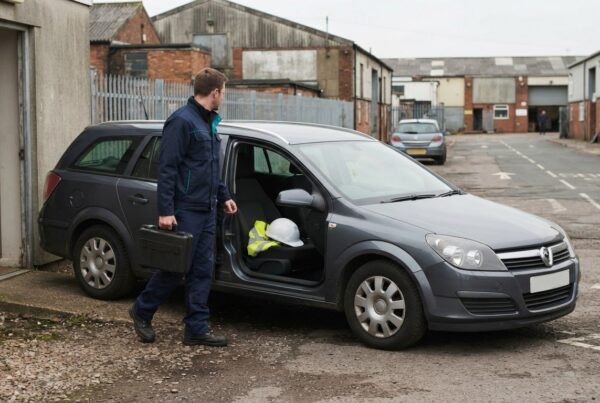
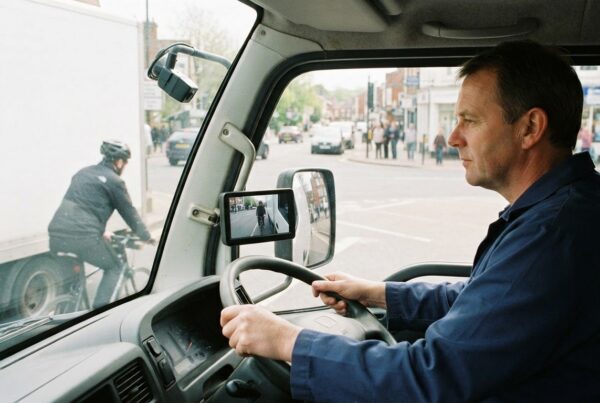
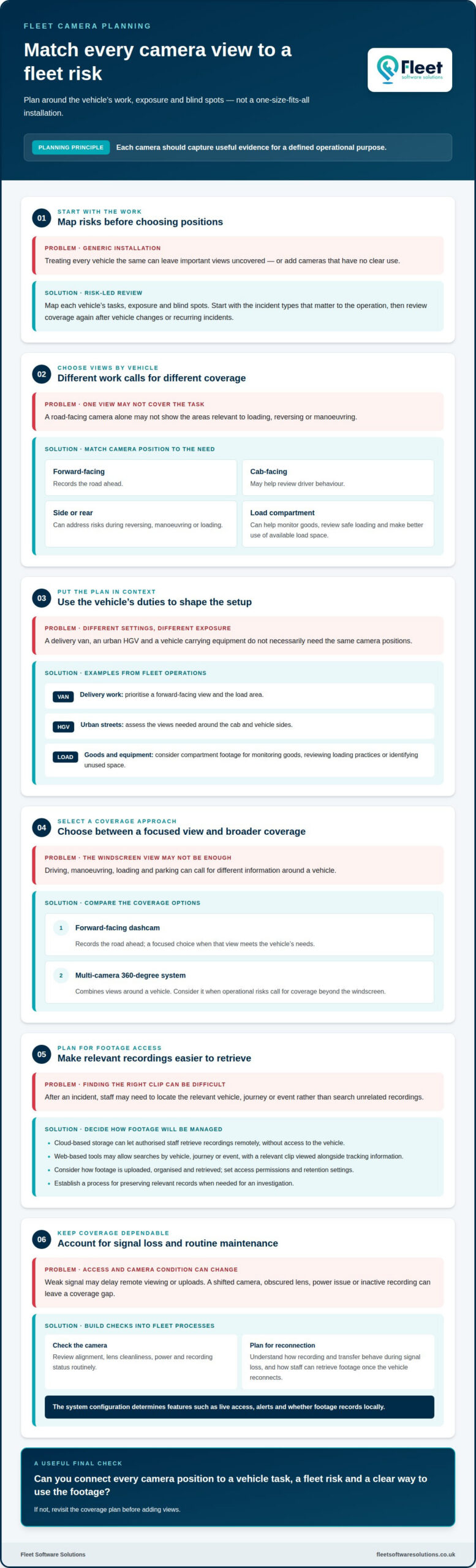
Choose, install and maintain connected cameras by mapping each vehicle’s work, exposure and blind spots. For a delivery van, prioritise a forward-facing view and the load area. For an HGV operating in urban streets, assess the views needed around the cab and vehicle sides. Review coverage after vehicle changes or recurring incidents.
Start with the incident types that matter to your operation. A forward-facing camera records the road, while a cab-facing view may help review driver behaviour. Side or rear views can address risks during reversing, manoeuvring or loading. Each camera should capture useful evidence without adding views that have no defined purpose.
Cloud-based video storage can let authorised staff retrieve recordings remotely, without needing access to the vehicle. Before selecting a system, consider how footage is uploaded, organised and retrieved after an incident. Access permissions, retention settings and a clear process for preserving relevant records can make investigations easier to manage.
Web-based tools can make it easier to review camera footage from an office. Useful functions may include searching by vehicle, journey or event, then viewing a relevant clip alongside tracking information. For example, a manager investigating a reported reversing incident can focus on the vehicle and time involved instead of searching unrelated recordings.
Connectivity affects access, but it does not determine whether camera positions are useful. If a vehicle loses signal, remote viewing or uploading may be delayed; the system’s recording and transfer behaviour determines what remains available. Account for signal loss when planning installation, and establish how staff can retrieve footage once the vehicle reconnects.
Maintenance should include checking camera alignment, lens cleanliness, power and recording status during routine fleet processes. A shifted windscreen camera or obscured rear lens can leave a coverage gap. A risk-led review helps keep each camera useful as routes, vehicle types and operational tasks change. To consider vehicle camera options, relate each view to a defined fleet risk.
Multi-camera coverage for vehicles and assets
A forward-facing dashcam records the road ahead, while a multi-camera 360-degree system combines views around a vehicle. The right choice depends on the risks each vehicle faces during driving, manoeuvring, loading and parking. A van making frequent deliveries may need useful views beyond the windscreen, particularly around its load area.
Plan coverage by matching vehicle tasks to the information operators need. A practical review can identify the road-facing view, areas where manoeuvring creates risk, and any compartment where goods need monitoring. Cameras in a load compartment can help businesses monitor goods, support security, check safe loading and make better use of available load space.
For example, a vehicle carrying equipment between sites may need footage of the cargo area during loading and journeys. A distribution vehicle may benefit from coverage that helps managers review loading practices and identify unused space. Each camera should serve an operational purpose, rather than adding coverage without a clear use.
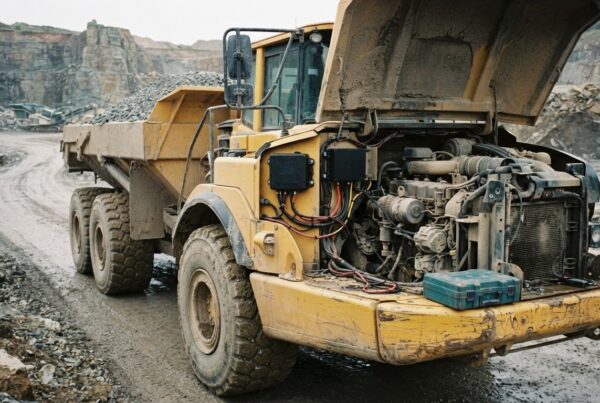
Vehicles are only part of the picture. Plant, machinery and other assets may move between work locations or remain stored away from the main depot. Combining vehicle coverage with asset monitoring can help operators understand where equipment is and how it is being used. Camera footage can add visual context to a particular activity. Choose the setup according to the asset’s movement and exposure.
Before installation, list the incidents and tasks that need better visibility, then match each one to a camera position. Consider who will review the footage, when they need it and what decision it should support. This risk-led approach makes multi-camera coverage more useful for safety, security and efficiency. It also clarifies the difference between a dashcam, which focuses on recording the road, and wider coverage that can monitor vehicles, cargo and work activity.
What are connected vehicle camera solutions and how do they work?
A connected vehicle camera system combines cameras with communication and fleet data tools. Unlike a basic dashcam used mainly after an event, a connected system can help operators respond to developing operational issues. They may access live camera views, GPS tracking and telematics, then use that information to take action.
Cameras capture views inside or around a vehicle, while connected functions make footage and related data available remotely. Depending on the system, operators can access live camera views, receive alerts, and retrieve video for playback or download. Vehicle location can add context, helping a manager identify which journey or event needs attention.
For example, a fleet manager reviewing a reported incident can use footage to understand what happened, then consider whether driver coaching or an operational change is appropriate. Live visibility can also help teams respond to events as they unfold, rather than relying only on a later review. These functions depend on the system configuration and available connectivity.
Choosing connected vehicle camera solutions in the UK starts with identifying the decisions that camera footage and telematics should support. A dashcam records a view that may help explain an event; connected systems can combine video with location and vehicle information. This joined-up view can help managers review a journey, investigate an alert or check a vehicle’s surroundings. Prioritise relevant functions over feature counts when comparing solutions.
For a UK fleet, define the views, footage access and tracking information that support its work, then match those needs to a camera and telematics setup. Explore vehicle camera solutions to assess how connected coverage could fit your fleet operations.
Fleet Software Solutions: Vehicle Cameras
Fleet Software Solutions provides Vehicle Cameras to help businesses plan coverage around operational risks. Consider this service when assessing a new installation, reviewing existing coverage or deciding how camera footage could support fleet oversight.
Where location context also matters, Vehicle Tracking can complement cameras by helping operators understand where vehicles are during journeys. Grey Fleet Management and Mileage Capture can support wider oversight of business travel alongside camera planning.
Start by outlining your vehicle types, key risks and the camera views that matter to your operation. This provides a practical basis for planning coverage, without treating every vehicle as if it has the same requirements.
Contact Fleet Software Solutions to discuss Vehicle Cameras for your fleet.
Turn camera planning into a practical fleet decision
Turn your camera requirements into a clear operational plan. Identify which vehicle groups need coverage, what information would help your team act, and how camera use should fit existing fleet processes. This gives planning for connected vehicle camera solutions in the UK a practical focus, centred on your fleet’s priorities rather than features alone.
Fleet Software Solutions provides Vehicle Cameras, Vehicle Tracking and Grey Fleet Management. These services can support businesses considering camera coverage alongside vehicle location or oversight of business travel.
Bring your vehicle types, operating risks and desired camera views into the discussion. This gives you a useful starting point for planning an approach that fits your operation.
Contact Fleet Software Solutions to discuss your fleet’s camera requirements and take the next step with confidence.
Frequently Asked Questions
What are the benefits?
Connected vehicle cameras can provide fleet teams with footage and driver-behaviour information to support operational decisions. Live-streaming cameras allow footage to be reviewed before, during and after an incident, while configurable alerts can flag events such as speeding or harsh driving. Managers can, for example, use recorded behaviour to focus coaching on a specific driving pattern rather than relying only on general reminders.
How much do connected vehicle cameras and subscriptions cost in the UK?
Pricing is case-dependent and provided after a quote request; costs depend on factors such as camera configuration, vehicle requirements and subscription scope. Consider hardware and recurring software costs together when planning a fleet investment. Fleet Software Solutions offers a rolling monthly contract, allowing vehicles to be added or removed as operational requirements change, which can help businesses adapt their fleet arrangements over time.
How do connected vehicle cameras integrate with fleet management and telematics platforms?
Camera and tracking information can be brought into a shared fleet-management workflow, depending on the devices and platform selected. Fleet Software Solutions offers device-agnostic software with configurable dashboards, reports and alerts. For example, a fleet manager can use a dashboard to review a vehicle record and arrange report delivery for routine oversight. Plan user access and data flows as part of implementation.
What are the UK legal rules for recording drivers, passengers and the public with vehicle cameras?
Give recording a clear operational purpose, inform drivers and passengers, restrict access to appropriate staff and set a retention approach. Handle footage that identifies people as personal data; the material gives no specific rules for recording the public.